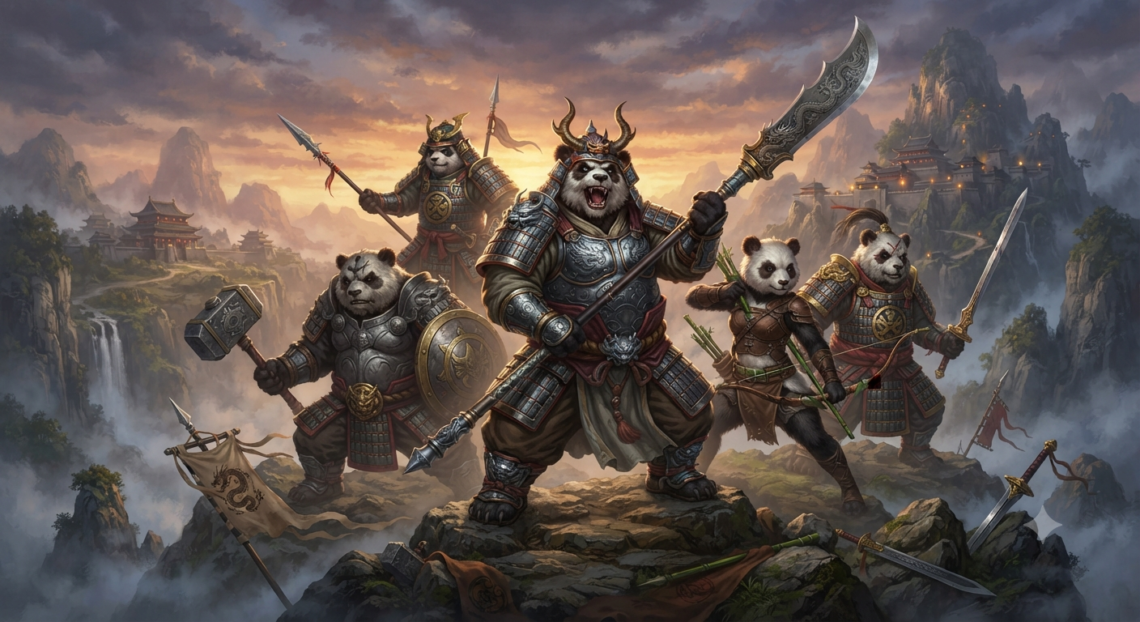
If you are searching for Mythic warriors pandas version pc, the most important thing to know is that the game now has an official Windows play route through Google Play Games on PC. You do not need to hunt for an unofficial “PC APK,” cracked installer, or mystery EXE just to run the game on a computer.
The official Google Play listing identifies the title as Mythic Warriors: Pandas, published by 9RING, and provides a dedicated option to play it on Windows. The listing describes it as a role-playing and idle RPG featuring automatic combat, boss battles, character progression, beast souls, artifacts, divine weapons, and both single-player and multiplayer gameplay.
Mythic Warriors Pandas Version PC: What the Search Term Actually Means
The phrase Mythic warriors pandas version pc is slightly different from the game’s official name. The store title is Mythic Warriors: Pandas, with a colon before “Pandas,” so searches such as “Mythic Warriors panda PC version,” “Mythic Warriors Pandas download PC,” and “Pandas version for computer” generally refer to the same game.
That difference is more important than it may appear. The official Google Play listing does not direct players to a standalone Windows executable from 9RING; instead, its PC page tells Windows users to play through Google Play Games on PC.
Quick Answer: Can You Play It on Windows?
Yes. The Mythic warriors pandas version pc experience is officially available through Google Play Games on PC, provided the computer meets Google’s hardware, operating system, and virtualization requirements.
Google’s dedicated game page includes a “Play on PC” section for Mythic Warriors: Pandas, along with PC-specific minimum system requirements. That makes the Google route much more trustworthy than websites advertising unofficial converted versions of the Android app.
A third-party Android emulator such as BlueStacks is another option. BlueStacks has its own Mythic Warriors: Pandas PC page and supports installing the Android game from Google Play inside the emulator.
Is Mythic Warriors Pandas Version PC a Native Windows Game?
This is where many download guides become misleading. Mythic warriors pandas version pc is playable on Windows, but the supported Google route should not automatically be interpreted as a conventional standalone Windows release like a typical Steam or Epic Games title.
Google specifically says the game can be played on Windows with Google Play Games. The more accurate description, therefore, is that Mythic Warriors: Pandas is officially playable on Windows through Google’s PC gaming platform.
| PC Method | Status | Best For | Main Consideration |
|---|---|---|---|
| Google Play Games on PC | Official Google-supported route | Most Windows users | Requires Windows 10, SSD, 8 GB RAM and virtualization |
| BlueStacks | Third-party Android emulator | Emulator features and Mac users | Adds an emulator layer |
| Random APK/EXE sites | Not recommended | None | Potential malware, fake installers and account-security risks |
If reliability and account safety matter most, start with Google Play Games. An emulator makes more sense when it solves a specific compatibility or control problem.
Mythic Warriors Pandas Version PC Requirements
Google publishes clear requirements for running compatible mobile titles such as Mythic warriors pandas version pc through Google Play Games. The requirements are higher than those of many ordinary Android games because the PC gaming environment must also run alongside the game.
The currently listed minimum requirements are:
- Operating system: Windows 10 version 2004 or newer
- Storage: SSD with at least 10 GB of available space
- RAM: 8 GB
- Graphics: Intel UHD Graphics 630 or comparable
- Processor: Four physical CPU cores
- Windows permissions: Administrator account
- Virtualization: Hardware virtualization enabled
Google recommends stronger hardware for a better experience, including a gaming-class GPU similar to an Nvidia GeForce MX450 and eight logical CPU cores. Google also notes that individual games may provide additional graphics settings that allow performance to be tuned.
What If Your PC Has Only 4 GB RAM?
For the official Mythic warriors pandas version pc method, 4 GB is below Google’s published 8 GB minimum. Trying to force Google Play Games onto hardware below the required specifications may lead to failed installation, warnings, poor performance, or the application refusing to continue.
BlueStacks publishes a lower minimum of 4 GB RAM, alongside 10 GB of free disk space and Windows 7 or later on Windows systems. These are BlueStacks’ emulator requirements, however, and should not be treated as a guarantee that every boss battle or resource-heavy scene will run smoothly.
How to Install Mythic Warriors Pandas Version PC Officially
The most secure installation process starts with Google itself. Download Google Play Games on PC, complete its setup, and then install Mythic Warriors: Pandas from inside Google’s game catalog.
For the PC setup, use this sequence:
- Download Google Play Games on PC from Google’s official Google Play Games website.
- Run the installer and complete the Windows setup process.
- Enable Windows Hypervisor Platform if prompted.
- Check that hardware virtualization is enabled in your BIOS or UEFI.
- Restart Windows if a virtualization-related change requires it.
- Sign in using your personal Google Account.
- Search for Mythic Warriors: Pandas.
- Select the game and install it.
- Launch the game and verify your server and in-game account.
Google’s own installation documentation notes that Windows Hypervisor Platform may need to be activated. It also says CPU virtualization may need to be enabled in BIOS to run many titles in the Google Play Games catalog.
A Cross-Save Detail Worth Checking
Google Play Games is designed to support progress synchronization across devices when the appropriate account is used. Even so, do not assume that every RPG character will appear automatically without checking how the game itself handles profiles and servers.
If Mythic Warriors: Pandas provides an in-game account binding, server selection, or separate login system, make sure your existing character is properly linked before changing devices. Recording your character ID, server name, and login method before moving from mobile to PC is a sensible precaution.
Mythic Warriors Pandas Version PC With BlueStacks
If Google’s official method is unsuitable, Mythic warriors pandas version pc can also be played using BlueStacks. Its current game page instructs users to install BlueStacks, sign in to Google Play, search for Mythic Warriors: Pandas, install the title, and launch it from the emulator.
BlueStacks also promotes PC-oriented enhancements including high FPS, macros, Eco Mode, rerolling tools, key controls, and multi-instance functionality. Some of these options can be attractive in an idle RPG where players repeatedly manage rewards or progression systems.
Use automation features carefully. The fact that an emulator can execute a macro does not automatically mean every form of automated gameplay is allowed under the game’s rules.
What Kind of Game Is Mythic Warriors: Pandas?
Players researching Mythic warriors pandas version pc often want more than installation instructions. The real question is whether the game is worth setting up on a computer.
Mythic Warriors: Pandas mixes idle progression with RPG combat. The official description emphasizes strengthening characters, collecting equipment, defeating bosses, triggering divine transformations, and accumulating rewards even through more automated gameplay.
Dragonstaff Mage, Warrior and Panda Rogue
The game’s official listing highlights three distinct combat identities: the Dragonstaff Mage, a sword-wielding Warrior, and the distinctive Panda Rogue. Players can collect powerful artifacts and divine weapons while increasing their combat strength.
The Panda Rogue is particularly important to the game’s branding. It helps explain why people sometimes search for “panda version” even though “Pandas” is technically part of the game’s official title rather than a separate edition.
Divine Transformations
One of the more visually dramatic progression mechanics is the ability to transform during combat. According to the official description, players can awaken a divine form and use much stronger abilities during battle.
This gives the combat loop another progression layer beyond simply equipping higher-stat weapons. Building a stronger character means improving multiple interconnected systems rather than relying exclusively on manual combat skill.
Beast Souls and the Bestiary
The game also lets players hunt powerful beasts and collect beast souls. These souls activate a bestiary-style system that provides additional strength and progression benefits.
This kind of layered progression is common in long-term mobile RPG design. Instead of one upgrade tree, character power can come from equipment, artifacts, weapons, transformations, beast-related bonuses, and other unlockable systems.
Boss Rush and Multiplayer Gameplay
The official description puts substantial emphasis on boss encounters. Players can perform repeated attacks and combos, land critical hits, defeat high-level monsters, and potentially receive valuable or divine-grade equipment.
Mythic Warriors: Pandas also promotes cooperative demon hunting, including battles against an Abyssal Overlord. Google labels the game as supporting single-player, multiplayer, and competitive multiplayer experiences.
Players should therefore expect a progression-focused online RPG structure rather than a traditional offline campaign. Gear acquisition, character power, recurring activities, and long-term advancement are central to the experience.
Why Play Mythic Warriors Pandas Version PC Instead of Mobile?
The main appeal of Mythic warriors pandas version pc is comfort. The fundamental game does not suddenly become a different RPG, but the larger display and PC controls can make extended progression sessions easier to manage.
Google specifically promotes PC gameplay with a larger screen, improved controls, synchronization across devices, and Google Play Points. Keyboard and mouse support can also reduce the friction of navigating menus repeatedly.
There is another practical benefit. A mobile device being used for hours of automated combat, rewards, boss fights, and background progression can consume battery power and generate heat.
Moving those longer sessions to a desktop or laptop leaves your phone available for communication and other tasks. Actual power consumption and performance will, of course, depend on the computer.
Best Settings for Mythic Warriors Pandas Version PC
For smoother Mythic warriors pandas version pc performance, do not immediately maximize every setting. RPGs with automated combat can still produce heavy particle effects, crowded enemies, animations, background downloads, and sudden load spikes during boss encounters.
Begin with a moderate frame-rate target and default graphics settings. Play through several battles before increasing quality, because stable frame pacing is generally more useful than maximum visual effects.
If stuttering appears, reduce graphical effects before making advanced changes to Windows. Also close unnecessary browsers, launchers, video editors, or other memory-heavy applications.
Laptop players should consider connecting the charger during extended sessions. Keeping Windows and GPU drivers current may also prevent compatibility problems when using Google Play Games.
Common Mythic Warriors Pandas Version PC Problems and Fixes
The most common PC setup issue is virtualization. Google states that hardware virtualization must be enabled and says Windows Hypervisor Platform may be required for Google Play Games.
If the game will not launch or install, check the following before repeatedly reinstalling the game:
- Make sure Windows 10 is version 2004 or newer.
- Confirm your primary storage is an SSD with enough free space.
- Verify hardware virtualization in BIOS/UEFI.
- Enable Windows Hypervisor Platform if Google requests it.
- Restart Windows after changing virtualization settings.
- Close conflicting Android emulators.
- Update your graphics drivers.
- Reinstall Google Play Games only after confirming the hardware requirements.
There is a particularly important emulator conflict to know about. Google warns that some other Android emulators may not function when Windows Hypervisor Platform is enabled.
If BlueStacks or another emulator suddenly behaves differently after Google Play Games installation, the hypervisor configuration may be the reason. Avoid randomly changing BIOS settings until you understand which virtualization system each platform expects.
Game Installed but Your Character Is Missing
Do not immediately create a replacement character. First check whether you are using the same server, Google Account, and in-game login method as the mobile installation.
Mobile RPGs frequently store different characters on different servers. Selecting the wrong server can therefore make an established account appear empty even when the original character still exists.
If the problem cannot be solved in-game, the current Google Play listing provides a developer support address. Google lists cs@9ring.com for Mythic Warriors: Pandas support.
Is Mythic Warriors Pandas Version PC Safe to Download?
The safest PC download for Mythic Warriors: Pandas is the official Google Play Games route. Since Google already provides a dedicated Windows play option, there is little practical reason to download a mysterious “PC conversion,” “unlimited mod,” cracked EXE, or repacked APK from an unknown website.
Third-party Android emulators can be legitimate applications, but the same security rule applies. Download the emulator from its real official website, then obtain the game through Google Play inside the emulator.
A useful rule is: download the platform from its publisher, then download the game through that platform. This dramatically reduces your exposure to fake launchers, malicious installers, credential-stealing pages, and bundled unwanted software.
Official PC Route vs Emulator: Which Should You Choose?
For most Windows 10 and Windows 11 computers, Google Play Games should be the first choice because it is the official PC pathway presented directly on the game’s Google Play page. You get a simpler trust chain: Google’s platform, your Google Account, and the verified game listing.
BlueStacks becomes more attractive when you specifically want emulator functionality or need a route that works on macOS. BlueStacks lists support for Windows and macOS and provides features such as multiple instances, macros, high FPS, and Eco Mode.
That does not automatically make the emulator route superior. Extra features also create additional configuration options, memory overhead, and potential compatibility complications.
Who Is Mythic Warriors: Pandas Best For?
The game is likely to appeal most to players who enjoy idle RPG progression, equipment upgrades, powerful transformations, flashy combat, recurring bosses, and long-term character growth. It is less suited to someone looking exclusively for a traditional offline action RPG with a fixed single-player story.
Players who enjoy logging in regularly to collect rewards and increase power should find more to engage with. The automatic-combat design also lowers the amount of continuous manual input required compared with many conventional action RPGs.
FAQ About Mythic Warriors Pandas Version PC
1. Is Mythic warriors pandas version pc officially available?
Yes. Google Play currently provides a dedicated PC page for Mythic Warriors: Pandas and states that it can be played on a Windows computer through Google Play Games.
The listing identifies 9RING as the publisher and provides specific Windows hardware requirements.
2. Do I need an Android emulator for Mythic warriors pandas version pc?
No. An Android emulator is optional because Google Play Games on PC provides an official Windows method.
You can still use BlueStacks when you specifically want emulator features or need macOS support.
3. What are the requirements for Mythic warriors pandas version pc?
Google lists Windows 10 version 2004, an SSD with 10 GB free space, 8 GB RAM, Intel UHD Graphics 630 or comparable graphics, four physical CPU cores, administrator access, and hardware virtualization as the minimum requirements.
Google recommends a stronger gaming-class GPU and eight logical processor cores for better performance.
4. Can I use my mobile account with Mythic warriors pandas version pc?
Google Play Games supports account use and progress synchronization across compatible PC and mobile experiences. However, you should still check the game’s own account binding and server selection before assuming your character will appear automatically.
Record your server, character ID, and login method before switching devices. That information can be valuable if account recovery is ever needed.
5. Where should I download Mythic warriors pandas version pc?
The safest choice is the game’s official PC listing through Google Play Games on PC. Avoid websites offering unofficial PC ports, modified executables, unlocked installers, or suspicious APK bundles.
If you choose BlueStacks instead, download BlueStacks from its official source and obtain Mythic Warriors: Pandas through Google Play inside the emulator.
Final Take: The Best Way to Play Mythic Warriors Pandas Version PC
The smartest approach is simple: treat Mythic warriors pandas version pc as an officially supported Google Play Games title rather than a mysterious Windows port that needs an APK converter or unofficial EXE. Check your system against the 8 GB RAM, SSD, four-core CPU, graphics, Windows, and virtualization requirements, then try Google Play Games first.
If that method is unavailable or does not fit your setup, BlueStacks provides a practical alternative, particularly for users who want emulator tools or macOS compatibility. Just remember that emulator minimum specifications and official Google Play Games requirements are not the same thing.
Before switching from mobile, link your account, record your server details, and verify that your existing character is accessible. Avoid third-party “PC version” download sites entirely.
For the cleanest experience, install Google Play Games on PC, search for Mythic Warriors: Pandas, verify virtualization, and install the game from its official listing. That is currently the most direct, supportable, and security-conscious route for playing the game on a larger screen.